The Best Free Fitness Calculators for Weight Loss (and When to Use Each)

BSc Kinesiology · CPT
There's a myth that losing weight requires a subscription, a clever app, a coach, a premium plan. It doesn't. What it actually requires is knowing three numbers: how many calories you burn, how many you should eat to lose fat, and how to split those calories so you stay full and keep your muscle. Every one of those numbers comes from a free calculator. This guide lines up the best ones, shows what each is for, and tells you the order to use them in.
The five calculators that actually move the needle
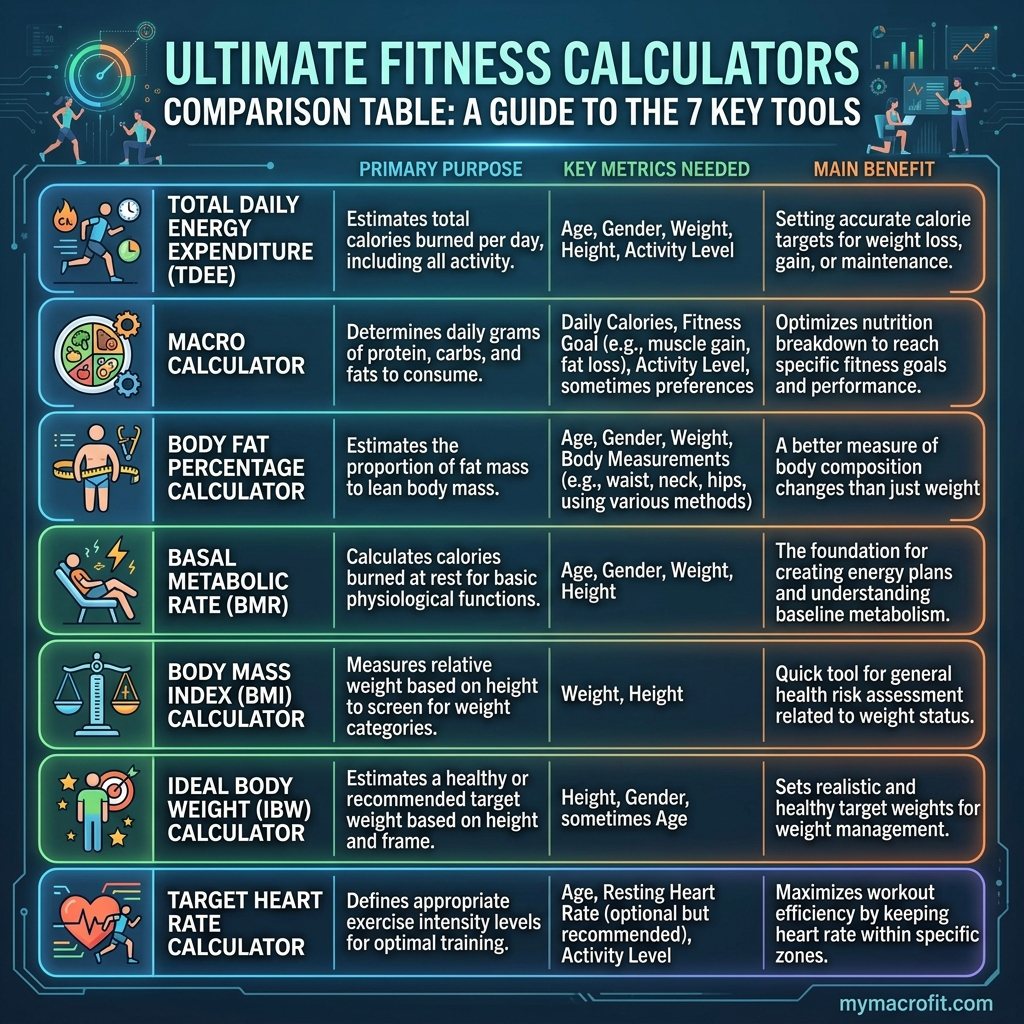
Not every tool matters equally for weight loss. These five do the heavy lifting, and they're all free with no signup:
| Calculator | What it tells you | Use it when |
|---|---|---|
| TDEE Calculator | Calories you burn per day (maintenance) | First, it's the foundation for everything else |
| Calorie Deficit Calculator | Your daily target to lose fat steadily | Right after TDEE, to set the actual goal |
| Macro Calculator | Protein, carb, and fat grams to hit | To turn calories into a real eating plan |
| Protein Calculator | Daily protein to protect muscle | If you only fix one thing, make it this |
| BMI & Body Fat | Rough starting point and progress markers | To set expectations and track change |
The right order: maintenance → deficit → macros
The single biggest mistake people make is jumping straight to a macro calculator without knowing their maintenance calories. Do it in sequence instead:
- Find maintenance. The TDEE Calculator estimates how many calories you burn given your age, weight, height, and activity. This is the line you have to eat under to lose fat.
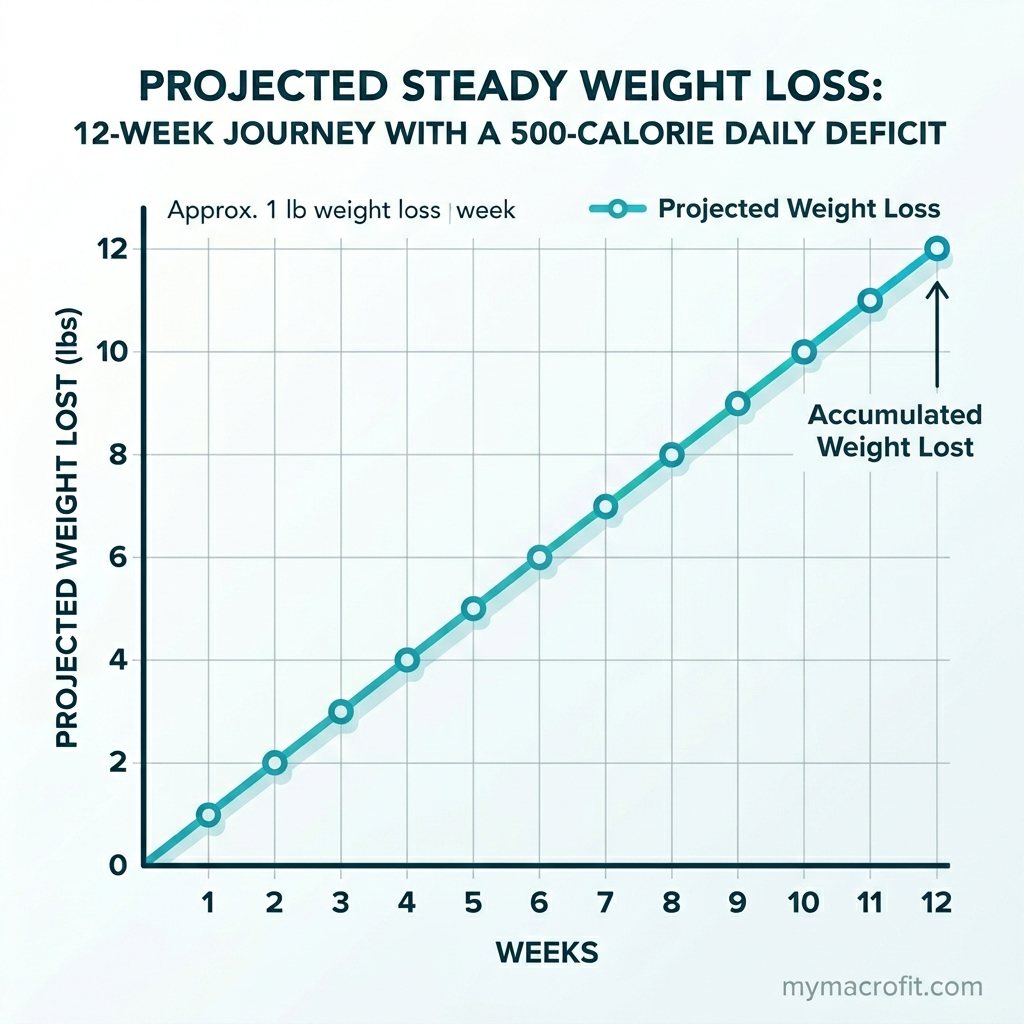
- Set the deficit. The Calorie Deficit Calculator subtracts a sustainable amount, usually enough for 0.5-1% of bodyweight per week, so you lose fat without crashing your energy or appetite.
- Split into macros. The Macro Calculator turns that calorie target into grams of protein, carbs, and fat, weighted toward protein so you stay full and hold onto muscle.
Done in this order, you go from "I want to lose weight" to a precise, personalised daily target in about five minutes.
Protein is the one number you can't skip
If you do nothing else, get your protein right. In a calorie deficit your body will burn whatever it can for energy, and without enough protein, some of that is muscle, which is exactly what you don't want to lose. The Protein Calculator gives you a daily floor (typically 1.6-2.2g per kg of bodyweight) that protects muscle, blunts hunger, and makes the whole deficit easier to hold. It's the highest-return number on this list.
BMI and body fat: useful for context, not obsession
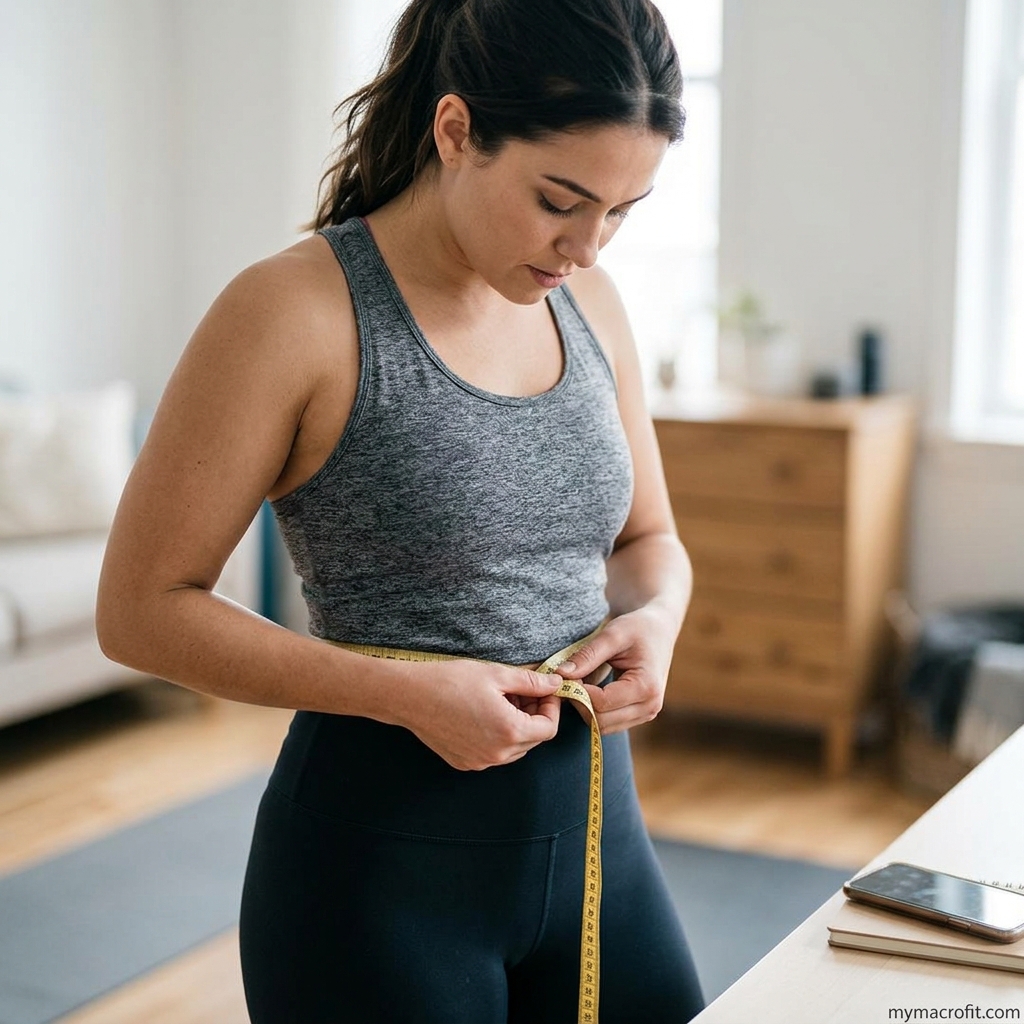
BMI gets a lot of criticism, and it's fair, it can't tell muscle from fat. But as a starting reference and a rough progress check, the BMI Calculator is fine. Pair it with the Body Fat Calculator for a fuller picture, and remember that the scale and the tape measure together tell you far more than either alone. Use these to set realistic expectations, then judge progress mostly by how you look, feel, and perform.
A five-minute worked example
Here's the whole sequence in action, so you can see how the three numbers fall out. Take a 75kg woman, 168cm, 35, lightly active:
- TDEE Calculator returns a maintenance of roughly 2,000 calories.
- Calorie Deficit Calculator applies a moderate 20% cut, setting her target near 1,600.
- Macro Calculator splits that 1,600 into about 135g protein, 55g fat, and the rest carbs.
Five minutes, three free tools, and she's gone from "I want to lose weight" to a precise daily plan, no subscription, no guesswork. From here she just eats roughly to those numbers, weighs in weekly, and re-runs the sequence after she's dropped 4-5kg. That's genuinely the entire system.
The mistake that wastes these tools
The calculators only work if you respect the order. By far the most common error is jumping straight to the Macro Calculator, getting a protein and carb split, and never setting an honest calorie target first, which means those macros are splitting a number you guessed. The second most common is over-picking your activity level, which inflates your TDEE and quietly erases the deficit before you've started.
Both are easy to avoid: be conservative with your activity setting (a few gym sessions on a desk job is usually "lightly active," not "very active"), and always set maintenance and the deficit before you touch macros. Get the order and the activity level right, and these free tools are every bit as effective as anything you'd pay for.
So do you ever need to pay?
Free calculators set your targets. A paid food-logging app (MyFitnessPal, Cronometer) only helps you hit those targets by tracking what you eat, and plenty of people stay consistent with a notes app, a routine of repeat meals, or nothing at all. Pay for a logging app only if detailed daily tracking genuinely keeps you on track. The number-setting, the part that actually determines whether you lose weight, is free, and it's right here.
Start with the Macro Calculator below, or work through the full sequence above. For the bigger picture on putting it together, see our complete macro tracking guide.
Save & share on Pinterest
Click any card to pin it — or share with someone who needs it.
The Best Free Fitness Calculators for Weight Loss (and When to Use Each)
You don't need a paid app to lose weight, you need the right numbers. Here's a comparison of the bes…
You don't need a paid app to lose weight, you need the right numbers. Here's a c…
Read the full guide: The Best Free Fitness Calculators for Weight Loss (and When to Use Each)
Try the free Macro Calculator
The Best Free Fitness Calculators for Weight Loss (and When to Use Each) — use our free calculators …
Pinterest opens in a new tab. You can edit the description before saving.
Ready to get your numbers?
Free calculator, instant results, no signup required.
Frequently Asked Questions
Which calculator should I use first to lose weight?+
Are free calorie and macro calculators accurate?+
Do I need a paid app like MyFitnessPal to lose weight?+
What's the difference between a TDEE and a calorie deficit calculator?+
How often should I recalculate my numbers?+
Should I trust a calculator over my smartwatch's calorie numbers?+
There are 30+ calculators on this site, do I need the rest?+
About the Author

I'm a kinesiologist and personal trainer. I've spent eight years helping women lose fat and get stronger without handing their whole life over to a diet.
View full profile →