TDEE Activity Level Multipliers: Which One Should You Actually Choose?

CN · Metabolic Health Coach
You enter your stats into a TDEE calculator, pick an activity level, and get a number. The catch: that single dropdown, your activity multiplier, swings the result more than almost anything else. Choose wrong and your maintenance estimate can be off by hundreds of calories, which is exactly why so many people "can't lose weight in a deficit" that was never really a deficit. Here's how to pick the right one.
What the multipliers actually do
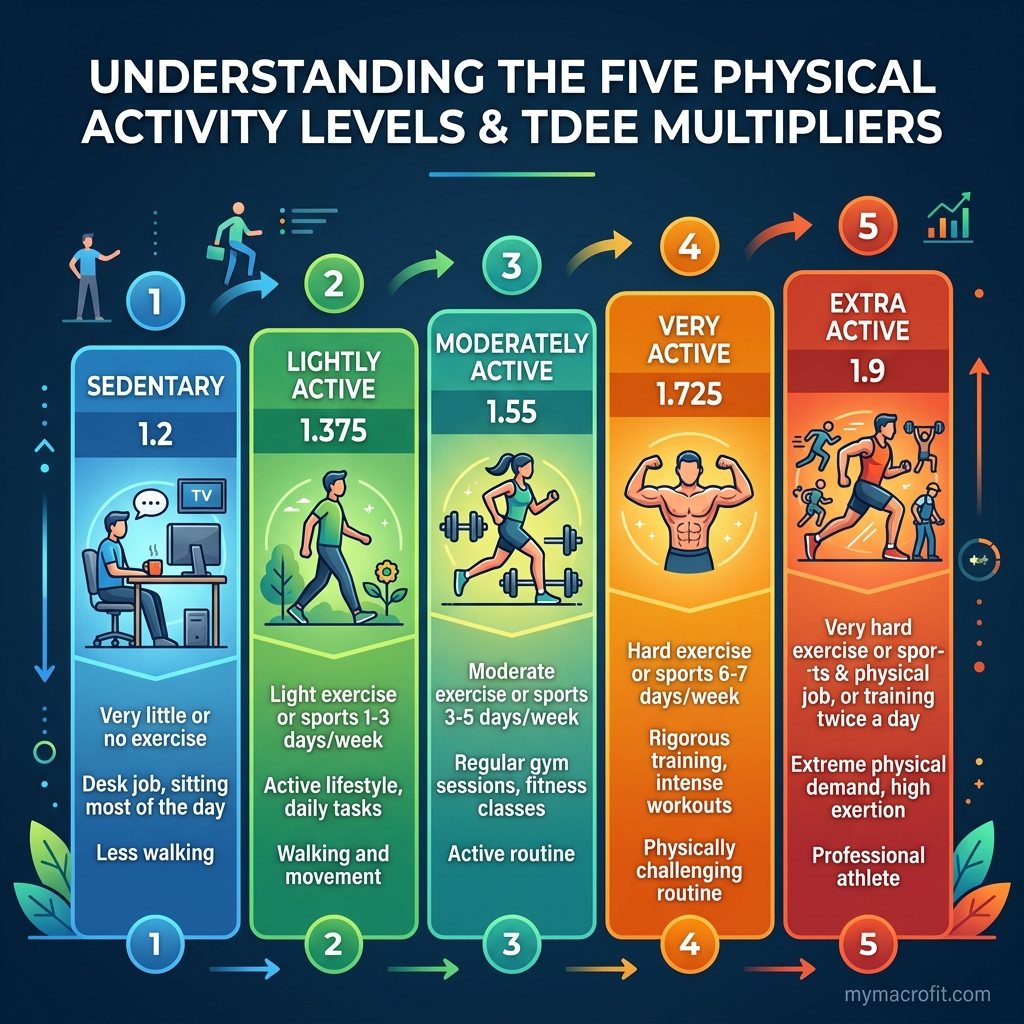
Your calculator first estimates your BMR (calories burned at complete rest), then multiplies it by an activity factor to account for everything you do on top of resting, your job, training, and incidental movement. That product is your TDEE.
| Level | Multiplier | What it really means |
|---|---|---|
| Sedentary | × 1.2 | Desk job, little/no exercise |
| Lightly active | × 1.375 | Light exercise 1-3 days/week |
| Moderately active | × 1.55 | Moderate exercise 3-5 days/week |
| Very active | × 1.725 | Hard exercise 6-7 days/week |
| Extremely active | × 1.9 | Physical job + daily training |
Because the factor multiplies your entire BMR, the gap between two levels is large. For a BMR of 1,600, the jump from ×1.375 to ×1.55 is 280 calories a day, enough to be the whole difference between losing and stalling.
The mistake almost everyone makes
People overestimate. "Very active" feels right after a tough week, but it's reserved for near-daily hard training, often on top of a physical job. A typical pattern, desk job, three or four gym sessions, is lightly to moderately active, not very active. Inflating the level inflates your TDEE, and your "deficit" quietly disappears.
Pick the right level, get an honest number.
Run the free TDEE Calculator and start one activity level lower than you think.
Calculate My TDEE →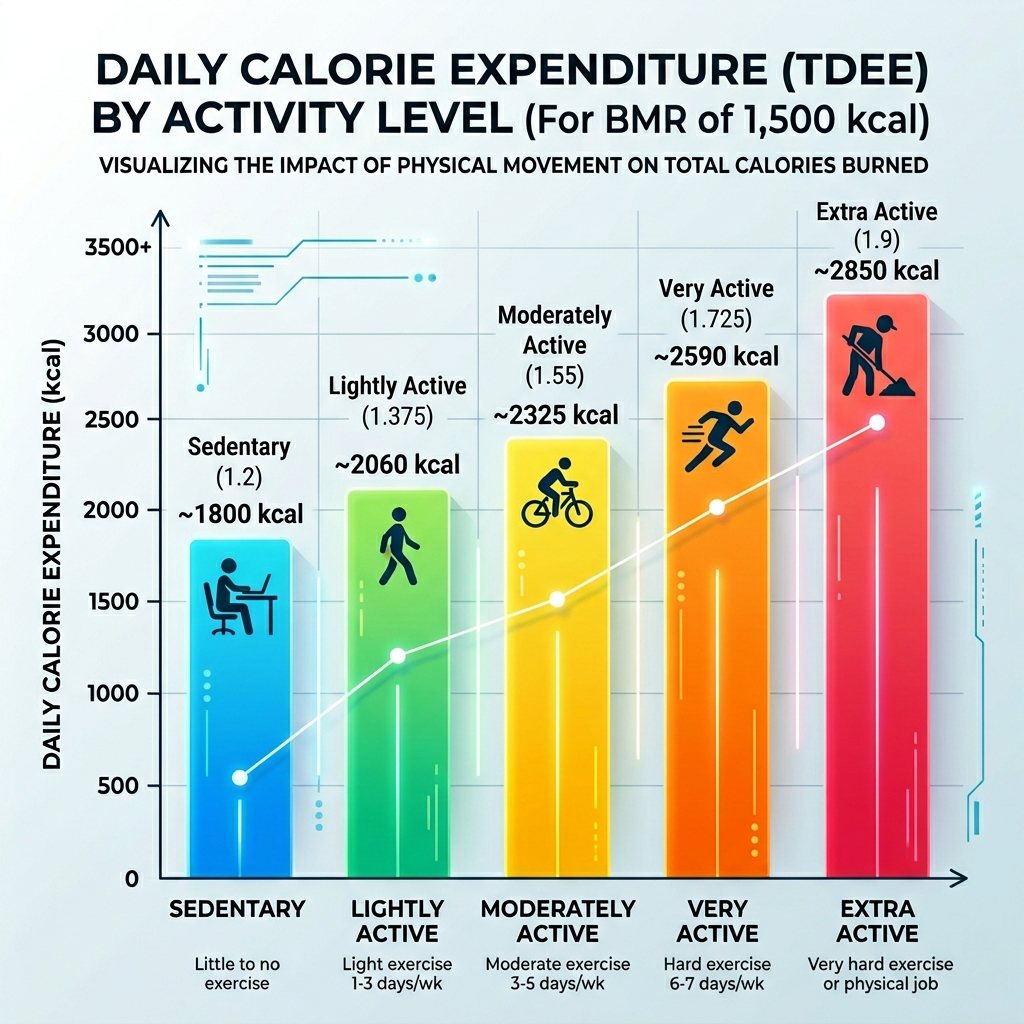
Don't forget NEAT
A big chunk of your daily burn isn't exercise at all, it's NEAT (non-exercise activity thermogenesis): walking, standing, fidgeting, chores. Someone on their feet all day at work can sit a full level higher than a desk worker who trains the same amount. If your steps are high (think 10,000+), that's real expenditure the multiplier should reflect, see walking for weight loss and the steps calculator.
The trap: a hard workout burns less than you think
Here's the part people hate hearing. A tough 45-minute weights session might burn 200-300 calories. That's it. A single flapjack. The reason exercise feels like it should bump you two activity levels is that it's hard, not that it's calorically huge. Effort and calorie burn aren't the same thing.
This is why "very active" is almost always wrong for a few gym sessions. The multiplier isn't rating how exhausted you feel, it's estimating actual energy expenditure, and a few hundred gym calories spread across a week barely shifts the average. Cardio is a little higher per session than lifting, but neither justifies jumping to ×1.725 unless you're training most days of the week, hard.
Same stats, different level: a worked example
Two people, identical BMR of 1,600, both "go to the gym 3 times a week." Watch how their honest TDEE diverges:
| Person A | Person B | |
|---|---|---|
| Job | Desk, ~4,000 steps/day | Warehouse, ~12,000 steps/day |
| Gym | 3x weights | 3x weights |
| Honest level | Lightly active (×1.375) | Moderately-to-very active (×1.55-1.65) |
| Estimated TDEE | ~2,200 | ~2,480-2,640 |
Same workouts, but Person B's job adds 300-400 calories of NEAT a day that the gym sessions never could. The lesson: your activity level is mostly about what you do during the other 23 hours, not the one you spend training.
How to choose, and verify
- Start one level lower than feels right. When torn between two, pick the lower.
- Use the number for 2-3 weeks and track your average weekly weight.
- Adjust from reality. Losing faster than expected? You can eat a little more. Not moving? Your real activity (or your portions) is lower than assumed.
This "estimate then verify" loop matters because every calculator is an estimate, the multiplier is your best guess, and your bodyweight trend is the correction. More on that in why your TDEE is wrong.

Pick low, let the scale promote you
The activity multiplier is the highest-leverage choice in any TDEE calculation, and the safest move is to be conservative: choose the lower level, let your weekly weight trend confirm it, and adjust. Get your number from the TDEE Calculator and treat it as a starting hypothesis, not gospel.
Think of it like this: start one level low and make your body earn the promotion. If three weeks of honest eating shows faster loss than expected, great, your real activity is higher and you get to add food. That direction is painless. The reverse, starting high and clawing calories back after a month of no progress, is how people quit. Bet low and let the data argue you upward.
Save & share on Pinterest
Click any card to pin it — or share with someone who needs it.
TDEE Activity Level Multipliers: Which One Should You Actually Choose?
Choosing the wrong activity multiplier is the #1 reason TDEE calculators are off. Here's what each l…
Choosing the wrong activity multiplier is the #1 reason TDEE calculators are off…
Read the full guide: TDEE Activity Level Multipliers: Which One Should You Actually Choose?
Try the free TDEE Calculator
TDEE Activity Level Multipliers: Which One Should You Actually Choose? — use our free calculators fo…
Pinterest opens in a new tab. You can edit the description before saving.
Ready to get your numbers?
Free calculator, instant results, no signup required.
Frequently Asked Questions
What are the TDEE activity multipliers?+
Which activity level should I choose if I go to the gym 3 times a week?+
Why does my TDEE calculator seem too high?+
Should my desk job count as sedentary if I exercise?+
Is it better to overestimate or underestimate activity level?+
Should I bump my multiplier on heavy training days?+
About the Author

I'm a certified nutritionist and metabolic health coach. I went deep on keto and metabolism after reversing my own insulin resistance, and I'd rather give you the actual numbers than a hand-wave.
View full profile →